👤 Sign in IT Download

«Io Leggio. Da solo.» “I read. On my own.”

App for dyslexia, learning differences and ADHD · from school to university

Photograph the page, listen to it, study calmly

ioLeggio turns pages and books into text you listen to and read your way: the voice reads and every word lights up, while you choose the font, the size and the pace. Recognition, reading aloud and the dictionary work even without internet.

30-day free trial, then a free basic version · no ads · Android (iOS coming soon)

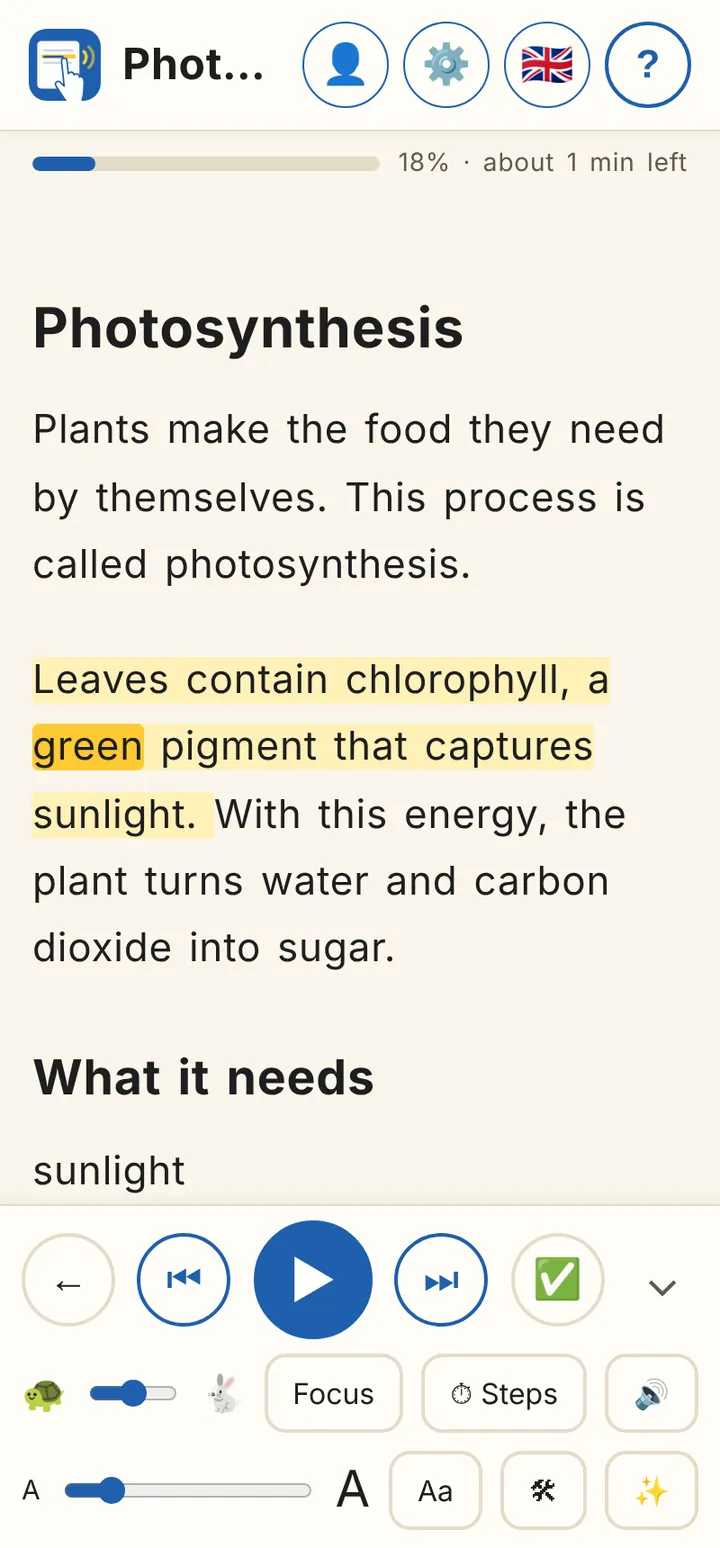
ioLeggio reading screen: sentence highlighted in yellow, the word “chlorophyll” highlighted and the control bar with play

ioLeggio in three videos

Under a minute in all: adding texts, reading, studying.

Narration in Italian.

1. Add your texts Photos of pages, or PDF, EPUB and other books split into their chapters.
2. Listen and read The voice reads and every word lights up; slower with the tortoise, Focus on the sentence.
3. Understand and revise Word meanings, summary and concept map with artificial intelligence.

Who made ioLeggio

Alessandro, a software developer with a degree in Psychology, is the founder of IOLLOTECH. He has a certified diagnosis of dyslexia, and so do his children. He knows how hard learning to read can be: for him and his family it was a long road, full of effort, frustration and discouragement.

ioLeggio grew out of his personal experience and his studies. Every feature is designed for people who find it hard to read and understand a text: the voice that reads with you, the word that lights up, the more readable fonts, reading in small steps, word meanings, summaries and maps.

Even the name comes from home: when they were little, Alessandro’s children used to say «io leggio», a sweet mistake for «io leggo», “I read”. A normal mistake for anyone learning, and the spirit of the app: try, get it wrong, try again, without feeling judged. Hence ioLeggio’s motto: «Io Leggio. Da solo.», “I read. On my own.”

Practising alone, without feeling judged

With ioLeggio a child or teenager can practise reading and understanding texts on their own, on a phone or, better, a tablet. No reading aloud in front of an adult: they go at their own pace and try again as often as they like. Homework gets lighter and, one step at a time, self-confidence grows.

From school to university

Dyslexia does not end with primary school. At university texts become long and hard, and for many students every textbook brings back years of struggle and low marks. ioLeggio is there too: import the book as PDF, EPUB or Word, already split into its chapters, listen to it at your own pace and revise with the summary and the concept map.

So ioLeggio grows with the people who use it: from the first reading homework to university exams.
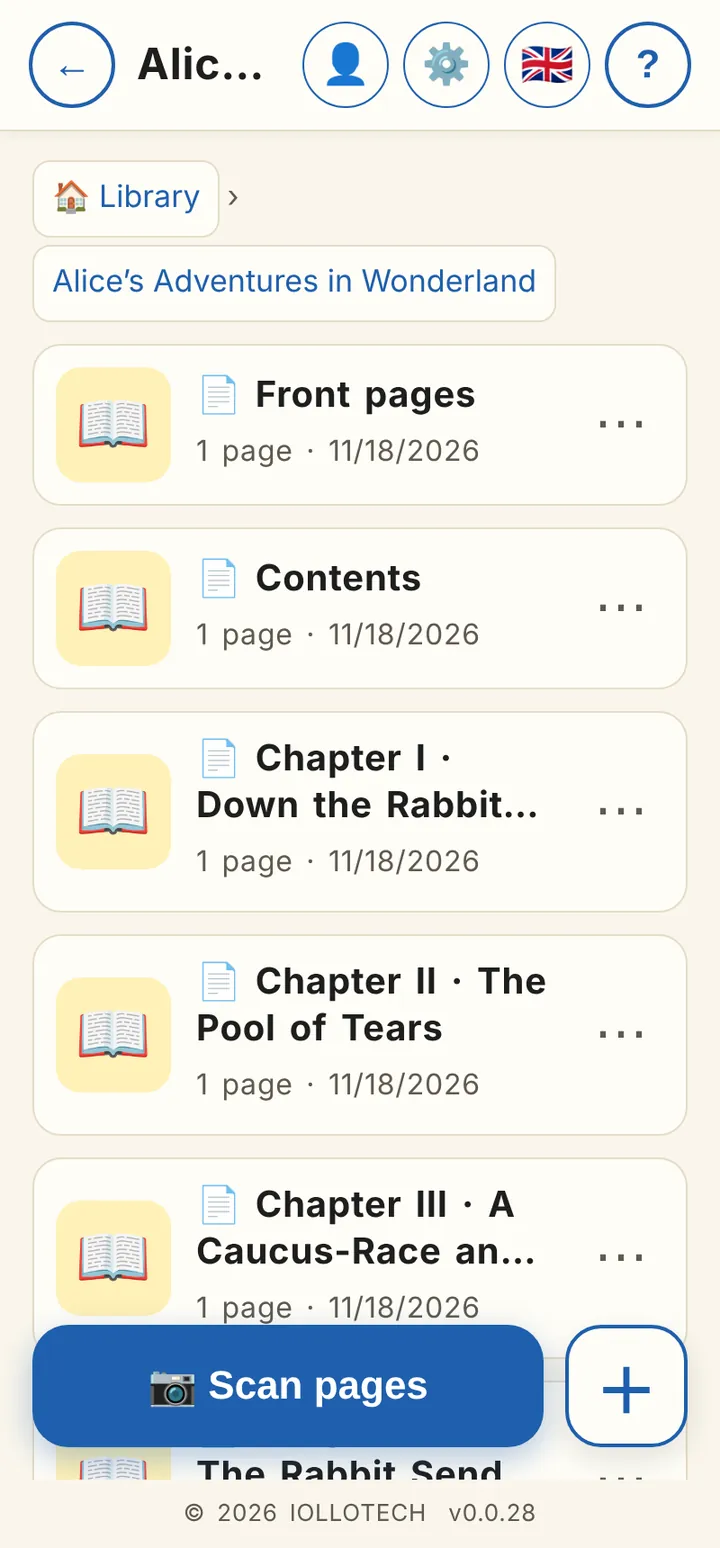
ioLeggio library: the book “Alice’s Adventures in Wonderland” split into Front pages, Contents, Chapter I, Chapter II with the book’s titles

Photograph the page or import the book

Frame the book: the page is straightened and the text recognised, with columns and paragraphs in the right order. Or import a book or document: ioLeggio splits it into its own chapters, with their names.

  • PDF, EPUB, Word, ODT, RTF, HTML, Markdown, FB2 and TXT
  • Cover and copyright go into “Front pages”: chapter 1 really is chapter 1
  • A final check compares the words in the file with the imported ones
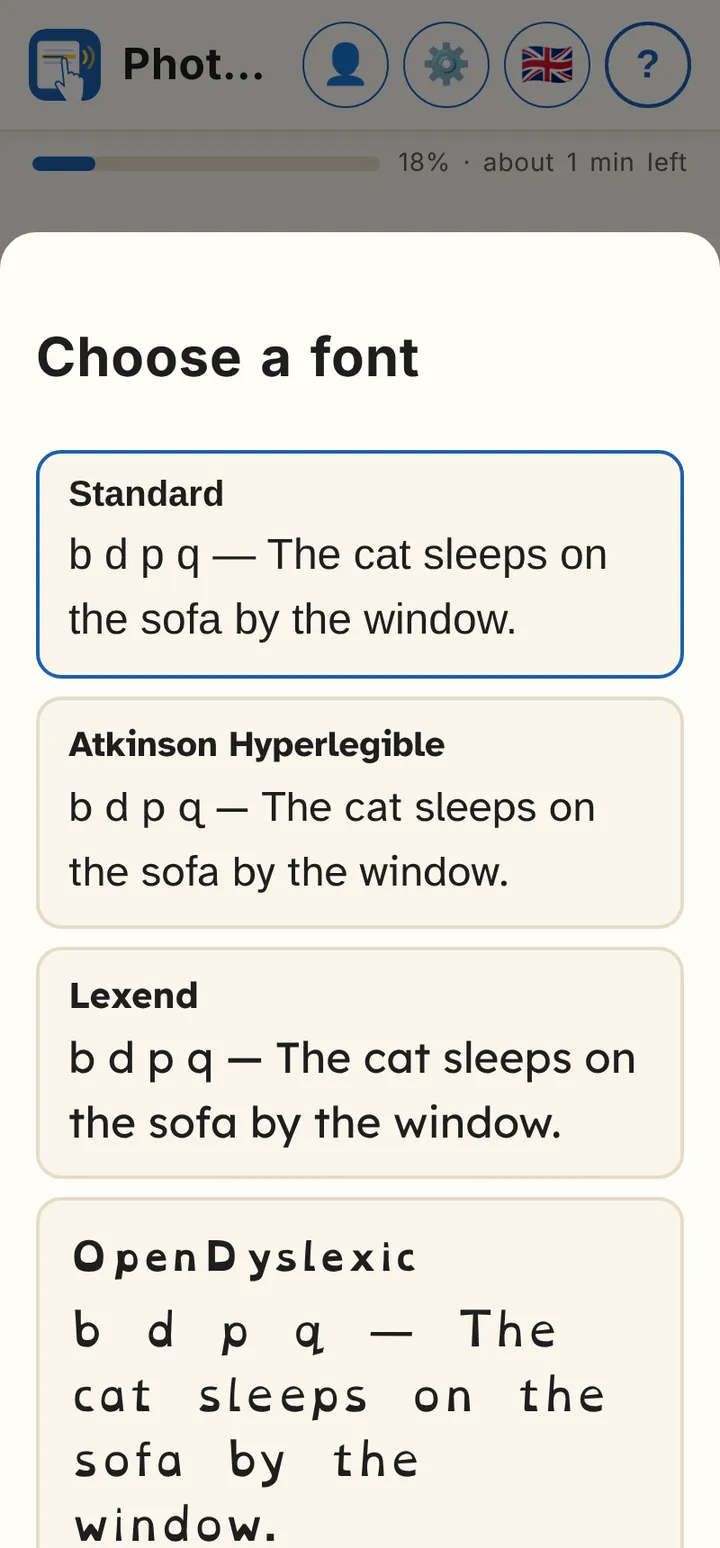
Font choice in ioLeggio: Standard, Atkinson Hyperlegible, Lexend and OpenDyslexic with the same sample sentence

Read the way that suits you

Make the text bigger, pick one of four highly readable fonts and switch on Focus to see only the sentence you are reading.

  • Atkinson Hyperlegible, Lexend, OpenDyslexic and Andika
  • Your phone’s voice, or Serena HD, a more natural Italian voice that works offline
  • It picks up where you left off
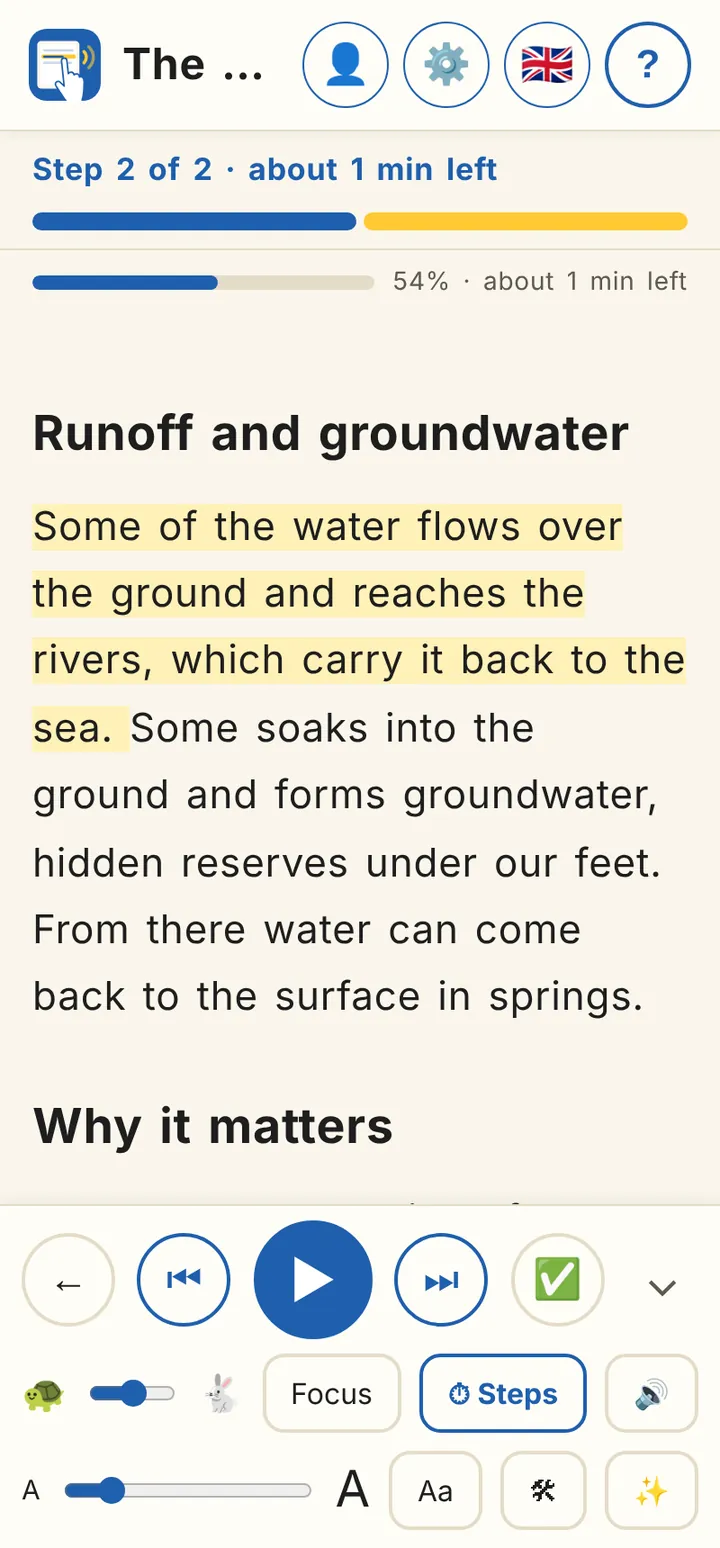
Step reading in ioLeggio: “Step 2 of 2, about 1 min left” with the highlighted sentence about the water cycle

For ADHD: reading in small steps

Split the text into steps from 1 minute up. ioLeggio tells you how many steps it takes to reach the end, shows only the current piece and stops at the end of each step so you can take a break.

  • Bar of completed steps and time left
  • Reading without the voice too: words light up in time
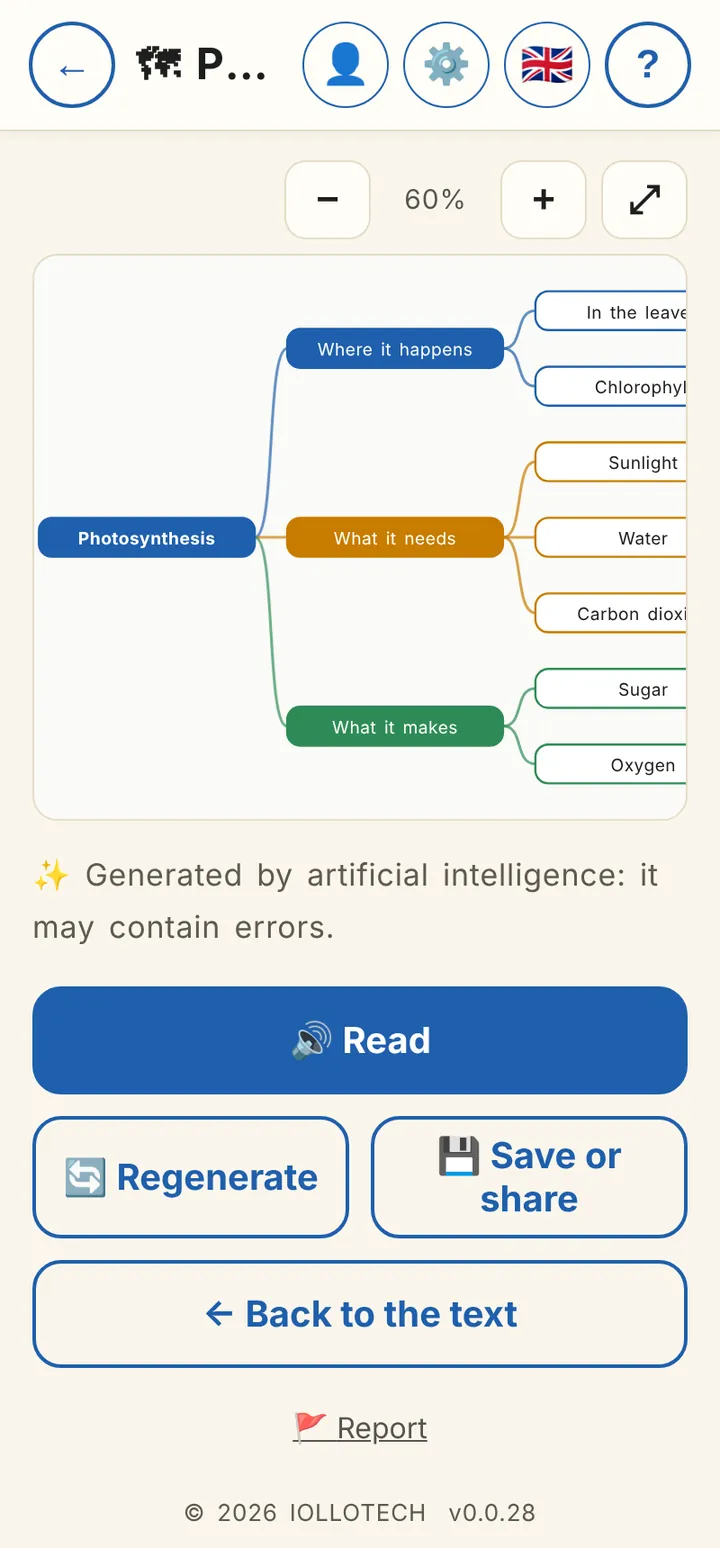
Concept map generated by ioLeggio about photosynthesis: where it happens, what it needs, what it makes

Hard words, summaries and concept maps

Press and hold a word to see its meaning, even offline. With Premium the AI explains it in its sentence and prepares the summary or concept map of the chapter, to listen to or save as PDF, Word or image.

  • The text goes to the AI encrypted and IOLLOTECH does not keep it
  • If an answer is wrong or inappropriate, you can report it with one tap

No ads, your data safe

ioLeggio has no ads, not even in the free version. It is a deliberate choice: an ad breaks concentration exactly when it costs the most.

  • Documents and photos stay on your phone, in an encrypted archive
  • Only with the Premium AI tools is the selected text sent, encrypted, and IOLLOTECH does not keep it
  • Encrypted backup with a password you choose
  • No cookies and no tracking on the website

Pricing: trial, basic version and Premium

For 30 days you try almost everything. Then ioLeggio stays free for short texts, fine for primary school; Premium removes the limits and adds artificial intelligence.

FeatureBasic (free)Trial (30 days)Premium
Photos and page scanningYesYesYes
Reading aloud, Focus, fonts, step readingYesYesYes
Dictionary and encrypted backupYesYesYes
Length of texts readFirst 300 wordsWhole textWhole text
Documents in the archiveUp to 5No limitNo limit
Books and documents: PDF, EPUB, Word and more—YesYes
Serena HD voice (Italian, offline)—YesYes
In-context explanation, summaries and maps (AI)——Yes
PriceFreeFree€9.99 a month
or €119.88 €79.99 a year −33% · 4 months free

Prices include VAT. The trial can be used once per account and device. The yearly plan costs €79.99 instead of €119.88 (12 months at €9.99): you save 33%, like getting 4 months free. Premium is paid through Google Play, renews automatically and can be cancelled any time from Google Play › Subscriptions.

ioLeggio is a study aid, not a medical device or a therapy. If you have a support plan at school, ask whether text-to-speech can be included among your assistive tools.

Frequently asked questions

Is it suitable for adults too?

Yes. Children use it to practise reading; teenagers and adults use it to study books and course notes, with summaries and concept maps.

Does it work offline?

Yes: text recognition, reading aloud (including the Serena HD voice once downloaded) and the dictionary work on the phone. A connection is needed to sign in, to confirm Premium and for the AI tools.

Which files can I import?

Gallery photos and PDF, EPUB, Word (.docx), ODT, RTF, HTML, Markdown, FB2 and TXT books or documents. Scanned PDFs are read with text recognition. Old Word .doc files must first be saved as .docx.

How much does it cost?

The first 30 days are free with almost every feature. Then you can keep using the free basic version (texts up to 300 words, up to 5 documents) or switch to Premium: €9.99 a month or €79.99 a year, through Google Play.

What happens to my documents and photos?

They stay on your phone, in an encrypted archive. Only if you use the Premium AI tools is the selected text sent encrypted for processing, and IOLLOTECH does not keep it. Details are in the Privacy Policy.

ioLeggio is coming to Google Play

Android · iOS coming soon. Want to try it early? Write to us.

ioLeggio is not on Google Play yet

It will be available soon for Android; iOS will follow.

Want to try it early or get a notice? Write to